Funnel analysis: find the step that loses the most people, and why
Funnel analysis counts how many people get through each step toward a goal on your site, such as a sign-up, an inquiry or a purchase, and shows the step where most of them stop. The count tells you where to look. It does not tell you why; for that you need the visits behind the step.
Start free. No card needed. Plans and limits are on the pricing page.
Check your site free first: an SEO audit of up to 16 pages, no account.
What is funnel analysis?
A funnel is an ordered list of steps, such as viewing a product page, adding to cart, starting checkout and completing a purchase. Funnel analysis counts the people who reach each step after doing the steps before it, and how many did not go on. Because each step only counts people who did the earlier ones, the numbers can only fall from one step to the next.
Marketers use it to see where a landing page or a launch loses people. Product teams use it to see where new sign-ups stall. The method is the same: pick the goal, list the steps, find the biggest drop, then find out why.
How to run a funnel analysis, in five steps
- Pick one goal that matters: a purchase, a sign-up or an inquiry.
- List the steps people must take to reach it, in order. Keep it short. Convertlyft allows up to 6 steps.
- Choose a window with enough visits to read, and compare it with the period before.
- Find the move that lost the biggest share of people. Look there first.
- Find out why: watch the visits at that step, read that page’s heatmap and errors, change one thing, then read the same funnel again in the next window.
A worked example, on demo data
This is Convertlyft’s Funnels view on demo data from a fictional shop. Nothing here is a real customer’s numbers.
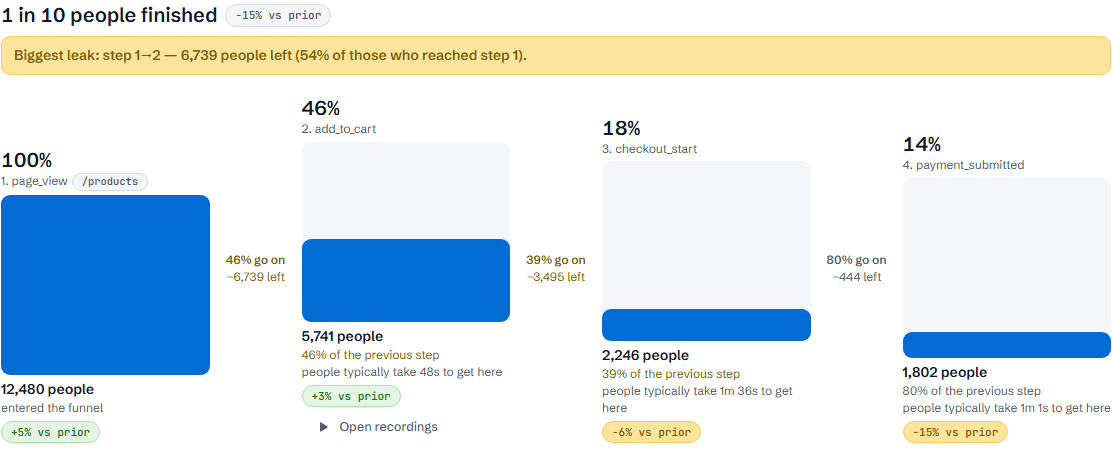
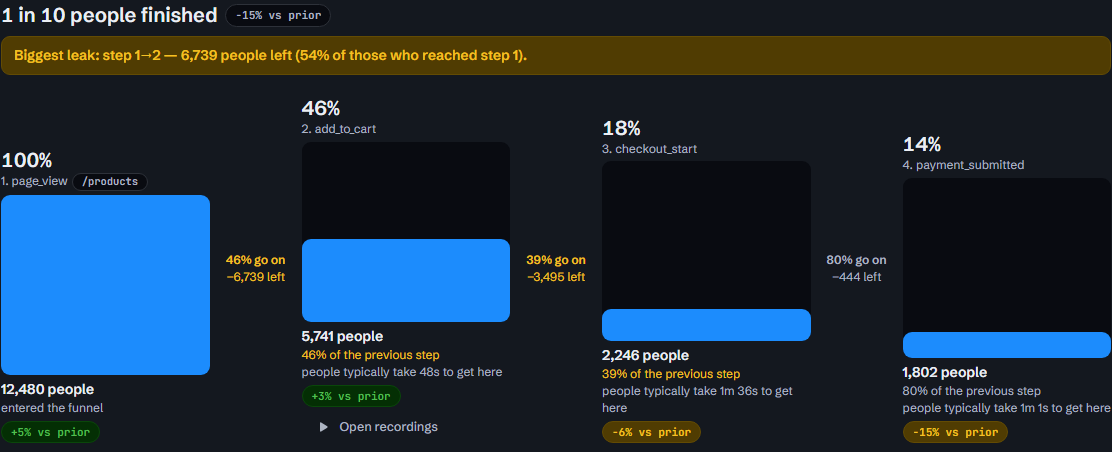
- The steps: Viewed a /products page, Added to cart, Started checkout, Completed a purchase.
- The result: 298 of 1,640 people who viewed a /products page went on to complete a purchase, 18 in 100. In the 7 days before, 268 of 1,580 finished.
- The leak, in words: “Most people were lost between ‘Viewed a /products page’ and ‘Added to cart’: 984 of 1,640 (60%) did not go on.” That move is marked in amber as Most lost.
- The later steps lost less: 230 of 656 (35%) after adding to cart, and 128 of 426 (30%) after starting checkout.
- Time: the Typical time to get here column reads 48s, 1m 36s and 1m 1s for steps 2 to 4.
The screen does not say why people left product pages. It says where to look. Step 1 links to the heatmap of the busiest /products page, and each step links to “Watch the recorded visits behind this”. The why comes from those visits.
What Convertlyft’s funnels do
- Up to 6 steps, counted in order. People are counted once per step, and only if they did the earlier steps first.
- Steps from pages or actions. A step can be a page (with an optional “Page contains” filter), a kind of page such as product or checkout, or an action. A “Got in touch” step can count more than one action, and contact clicks can be narrowed to WhatsApp, phone, email, SMS or Messenger.
- Suggested funnels from your own pages. Suggestions are built from the paths your site actually has, not from a template.
- The leak, named. The move that lost the biggest share of people is marked in amber, in words.
- By device, and against the period before. Press a device to see one device; each visit counts under the device it started on. Compare with the period before, or export the steps as CSV.
- From each step to the visits. Each page or action step links to the recorded visits that reached it, and each page step also links to a heatmap of its busiest page.
- Every visit counted. Funnels count every visit, with no sampling.
Using funnels in Google Analytics today? See our Google Analytics alternative.
From the leaking step to the reason
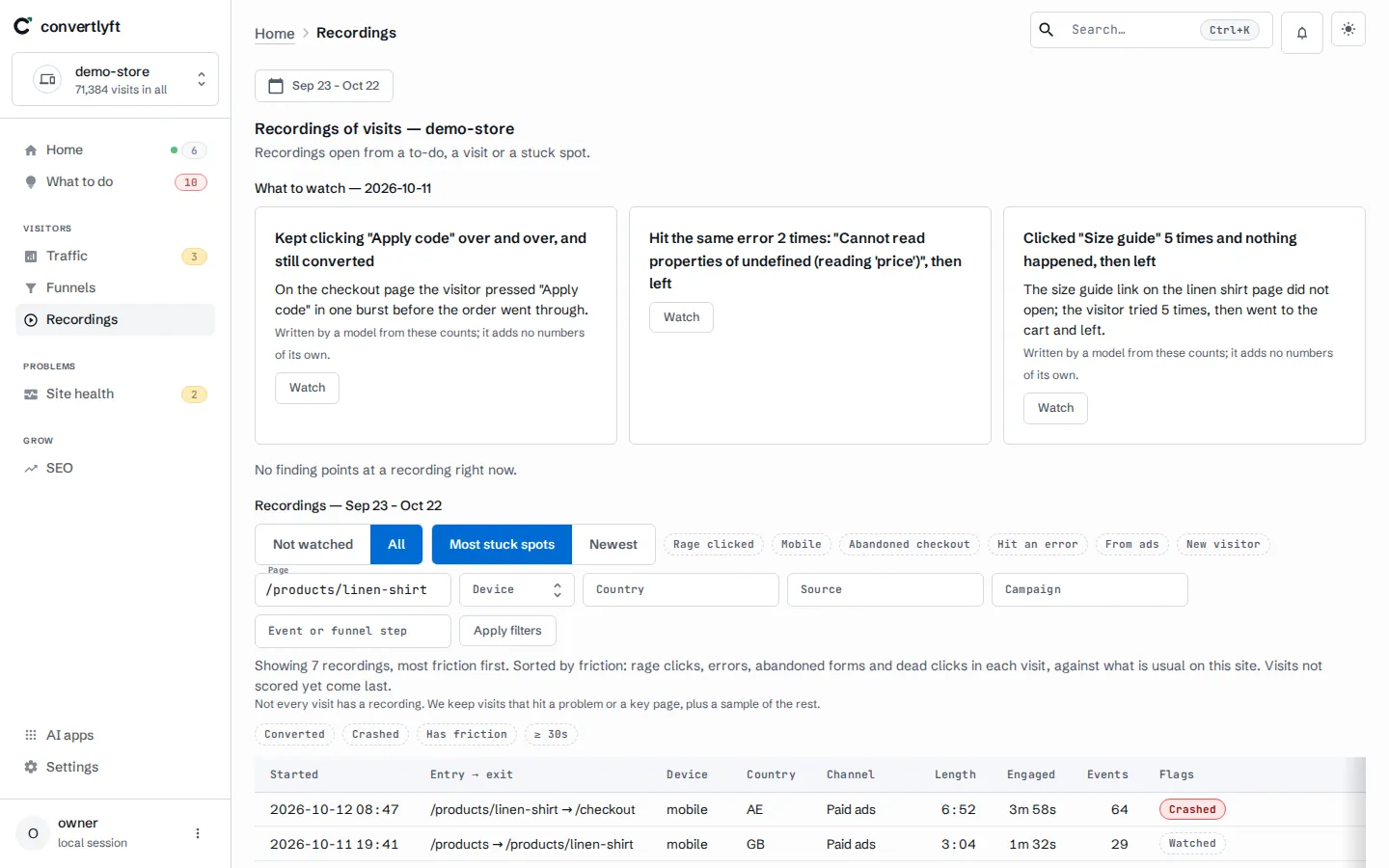
Open the step’s recorded visits and watch the visits at the leaking step. The player marks rage clicks, dead clicks and errors on the timeline, so you can jump to the moment that matters. The page’s heatmap shows where people clicked, including rage, dead and error clicks, and how far they scrolled. Site health › Errors lists JavaScript errors grouped into issues, each with the visits that hit it.
Then What to do names one change to make, with the numbers behind it. When you have made the change, press I fixed it; the next check marks it Confirmed fixed or Came back. Read the same funnel in the next window to see whether more people get through. More on how Convertlyft works, start to finish, and on CRO tools, by the job they do.
Your AI tools can read funnels too
Convertlyft is an MCP server at https://mcp.convertlyft.com/mcp. A connected AI app can list your funnels and read a funnel report, step by step, with the same numbers you see.
What it costs
Funnels are on every plan. Convertlyft is free up to 5,000 visits a month; the plans above that are on the pricing page. See a funnel report on demo data →
Questions
What is a funnel in marketing?
A funnel is the series of steps people take toward a goal, from first visit to purchase, sign-up or inquiry. Fewer people reach each step than the one before, which gives it the funnel shape.
What is funnel analysis in product management?
It is the same method applied to a product flow, such as sign-up to first use: list the steps, count who gets through each one in order, and find the step where most people stall.
What are top-of-funnel metrics?
The first steps: visits, where they came from, and the page people landed on. In Convertlyft, Traffic shows visits by entry channel and campaign tags.
How many steps can a Convertlyft funnel have?
Up to 6, counted in order.
Does Convertlyft sample funnel data?
No. Funnels count every visit.
How much does Convertlyft cost?
Free up to 5,000 visits a month, with every feature. The plans above that are on the pricing page.
Start free
Funnels of up to 6 steps from one line of code, each step linked to the visits behind it.
Start free. No card needed.