Session replay tools: what to compare, and how our replays work
Session replay rebuilds a real visit so you can watch it back: the pages someone opened, where they clicked and scrolled, and the moment something went wrong. Session replay tools differ less in the player than in three things: which visits they keep, how long they keep them, and what a replay is linked to. In Convertlyft, every visit is recorded on every plan, replays are kept 90 days, and each one is a click away from the funnel step, error or stuck spot that sent you to it.
Start free. No card needed. Plans and limits are on the pricing page.
Check your site free first: an SEO audit of up to 16 pages, no account.
What session replay is, and what it is not
A replay is not a screen video. The recording tag copies the page’s structure when it loads, then records what changes and what the visitor does: clicks, scrolls, taps, typing and errors. The player rebuilds the page from that record and plays it back.
Because the page is rebuilt rather than filmed, a tool can hide what should never leave the browser. In Convertlyft, typed values are never sent. Email addresses, phone numbers and payment card numbers in the page text are masked. Page words and prices stay readable, so you see what the visitor saw.
What to compare between session replay tools
- Which visits are recorded. Some tools record a share of visits. Others record every visit and let you turn it down.
- How long replays are kept. This decides whether you can still watch last month’s drop.
- How you find the right visit. A long list of visits only helps with good filters and a sensible order.
- What a replay links to. One replay shows one person. Linked to a funnel step, an error or a heatmap, it explains a number; see funnel analysis.
- Privacy defaults. What is masked before anything leaves the visitor’s browser.
- Websites or apps. Some tools also record mobile apps. Convertlyft records websites only.
- Whether your AI tools can read it. An MCP server lets an AI app find and read a visit for you.
Three session replay tools, side by side
| Compared on | Microsoft Clarity | Contentsquare Free | Convertlyft |
|---|---|---|---|
| Cost | Free“Clarity is a free service forever”, with no traffic limits[1] | Free planNew Hotjar sign-ups go to Contentsquare, which has a free plan[3] | Free up to 5,000 visits a monthPlans above that are on the pricing page |
| Which visits are replayed | No samplingIts FAQ says “No sampling”[1] | A share5% of visits captured, at most 10,000, within 200,000 visits a month[4] | Every visitOn every plan. You can turn it down to the visits that matter |
| How long replays are kept | 30 daysFavorite recordings and a random sample up to 9 months[1] | 1 month“1 month data access” on the free plan[4] | 90 daysWhat visitors did is kept 24 months |
| Errors | In recordingsRecordings with JavaScript errors; its FAQ says specific script error names are not shown automatically yet[1] | Included“Error & performance monitoring”[4] | Grouped into issuesEach issue linked to the visits that hit it |
| Mobile apps | SDKFor Android, iOS, Flutter and React Native[2] | Not checkedWe did not check this | Websites onlyNo mobile app recordings |
| Surveys | Not checkedWe did not check this | Included“Basic surveys”[4] | Not offeredConvertlyft has no surveys |
| Your AI tools | Copilot and MCPCopilot in the dashboard[1], and an MCP server[2] | MCP“Connect with LLMs (MCP)”[4] | MCPAn MCP server at mcp.convertlyft.com/mcp |
Microsoft and Contentsquare facts as of 22 October 2026, from their own pages; each number in brackets links to the source below. Plans change, so check their pages before you decide.
More on each: our Clarity alternative and Hotjar alternative pages.
How Convertlyft decides which visits to keep
Every visit is recorded, on every plan, up to a safety limit of 50,000 new recordings per site per day. If you would rather keep fewer, turn down Record every visit in Settings. Convertlyft then keeps only the visits that hit a JavaScript error, rage-click or dead-click, give up on a form, or reach a key page such as checkout, cart, contact, booking or sign-up. Once a visit is kept, the rest of it is kept too, including the lead-up to the moment that mattered.
Replays are kept 90 days. What visitors did, the events behind every report, is kept 24 months. Funnels and error reports count every visit, whether or not a replay was kept.
Find the visit worth watching
Recordings opens with the visits where people got stuck most first; you can switch to newest first. Starter views cover the usual questions: Rage clicked, Mobile, Abandoned checkout, Hit an error, From ads and New visitor. Filters narrow the list by page, device, country, source, campaign, or an event or funnel step.
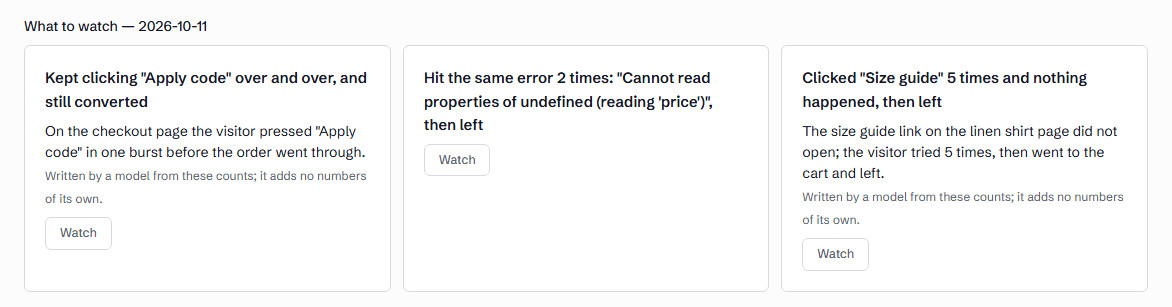
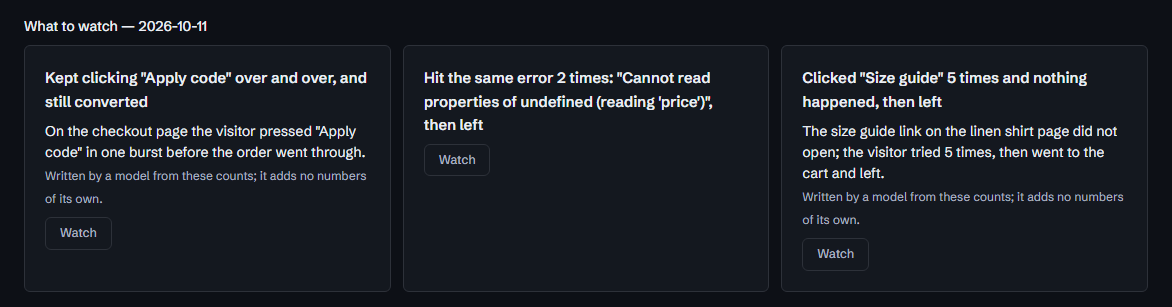
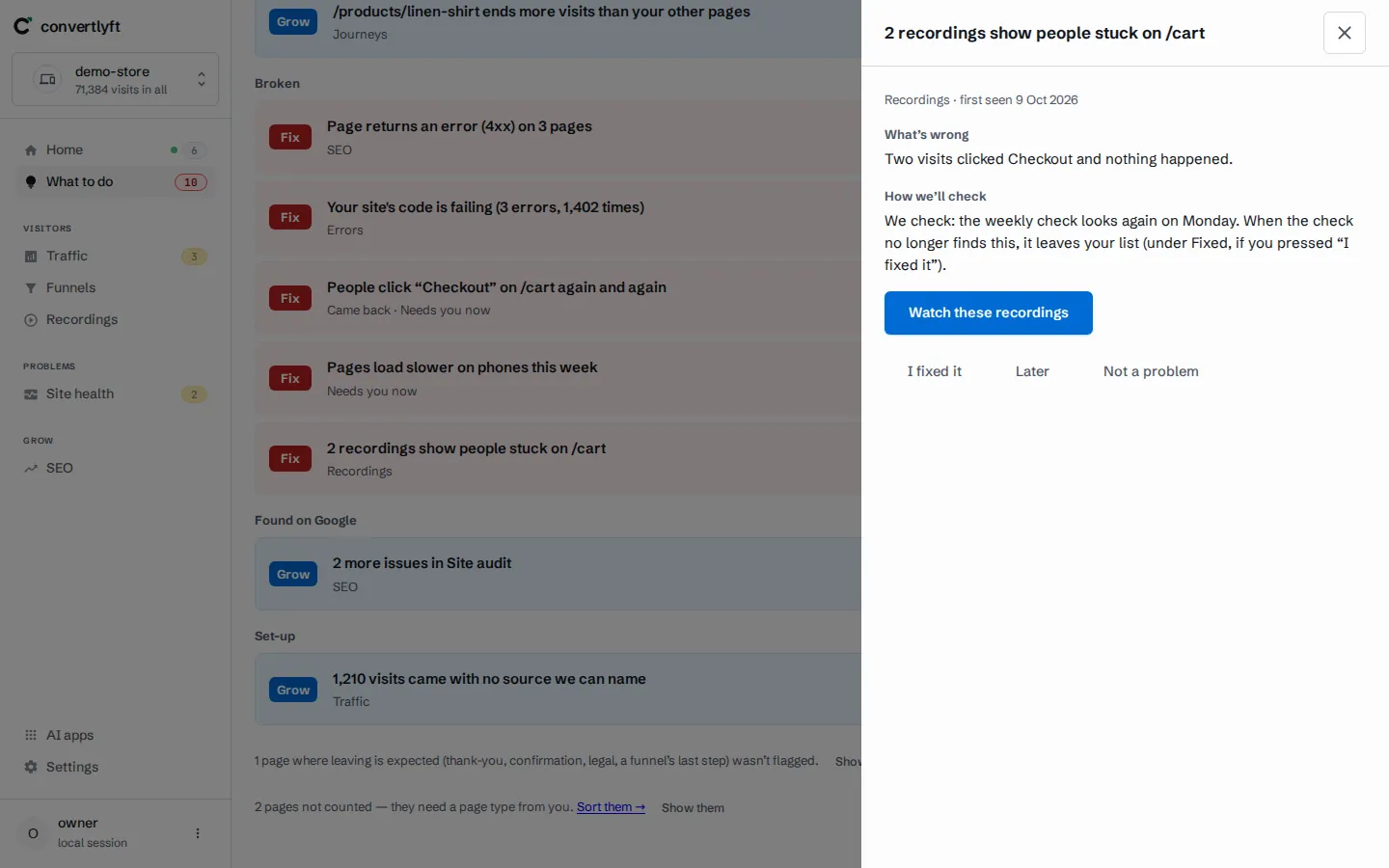
Most of the time you will not start from the list. A replay opens from whatever raised the question: a to-do, a funnel step, an error or a stuck spot.
What the player marks on the timeline
The timeline marks each page of the visit, each click, rage clicks (three clicks within a second in the same spot), dead clicks (nothing on the page changed within 3 seconds), JavaScript errors with their message, and typing, shown as “Typed in a field (masked)”. Quiet stretches longer than 3 seconds are skipped. You can play at 1x, 2x, 4x or 8x.
From a replay to the change to make
A replay is evidence, not the end. What to do lists to-dos, each with the measurement behind it and one change to make where there is one, and the Monday report arrives at 07:30 in your site’s time zone. Show me opens the evidence, often the replays themselves. When you have made the change, press I fixed it; the next check marks it Confirmed fixed or Came back.
For a JavaScript error in your own code, Copy for your developer gives a write-up, and Fix it with your AI hands that write-up to the AI app you connect. Everything Convertlyft measures →
Your AI tools can read replays too
Convertlyft is an MCP server at https://mcp.convertlyft.com/mcp. A connected AI app can list the recorded visits and read one moment of one visit: the pages, the elements clicked, errors, and typing lengths in the seconds around a rage click, dead click or error. Connect your AI →
When another session replay tool fits better
- You need recordings from a mobile app. Convertlyft records websites only. Microsoft Clarity offers an SDK for Android, iOS, Flutter and React Native.[2]
- You want to ask visitors questions. Convertlyft has no surveys. Contentsquare’s free plan, where new Hotjar sign-ups go, includes basic surveys.[3][4]
- You want free replays with no visit limit. Microsoft says Clarity is free, with no traffic limits.[1]
What it costs
Convertlyft is free up to 5,000 visits a month, with recordings, heatmaps, funnels and errors on every plan. The full table of plans is on the pricing page. See a replay on demo data →
Questions
What does session replay mean?
Session replay means watching a real visit back. The tool records the page’s structure and what the visitor did, then rebuilds the visit in a player. It is not a video of the screen.
Does Clarity record every visit?
Microsoft’s Clarity FAQ says “No sampling”, and that recordings are kept 30 days, with favorite recordings and a random sample kept up to 9 months. The same FAQ says it records up to 100,000 per project per day.[1]
Can I choose which visits are recorded?
Yes. Turn down Record every visit in Settings, and Convertlyft keeps only visits that hit an error, a rage or dead click, a form given up, or a key page such as checkout.
Is what visitors type recorded?
No. Typed values never leave the visitor’s browser. Email addresses, phone numbers and payment card numbers shown on the page are masked too.
Does Convertlyft record mobile apps?
No. Convertlyft records websites only. If you need app recordings, Microsoft Clarity offers a mobile SDK.[2]
How much does Convertlyft cost?
Free up to 5,000 visits a month, with every feature. The plans above that are on the pricing page.
Sources
- Microsoft Learn, “Clarity FAQ”, learn.microsoft.com/en-us/clarity/faq, as of 22 October 2026.
- Microsoft Clarity home page, clarity.microsoft.com, as of 22 October 2026.
- Contentsquare, “Hotjar is now part of Contentsquare”, contentsquare.com/hotjar, as of 22 October 2026.
- Contentsquare, pricing, contentsquare.com/pricing, as of 22 October 2026.
Start free
Every visit recorded from one line of code, each replay linked to the step, error or stuck spot behind it.
Start free. No card needed.