Funnel analytics that end in a shipped fix
What you see once data flows — reports built from every visit, none skipped.
Funnels
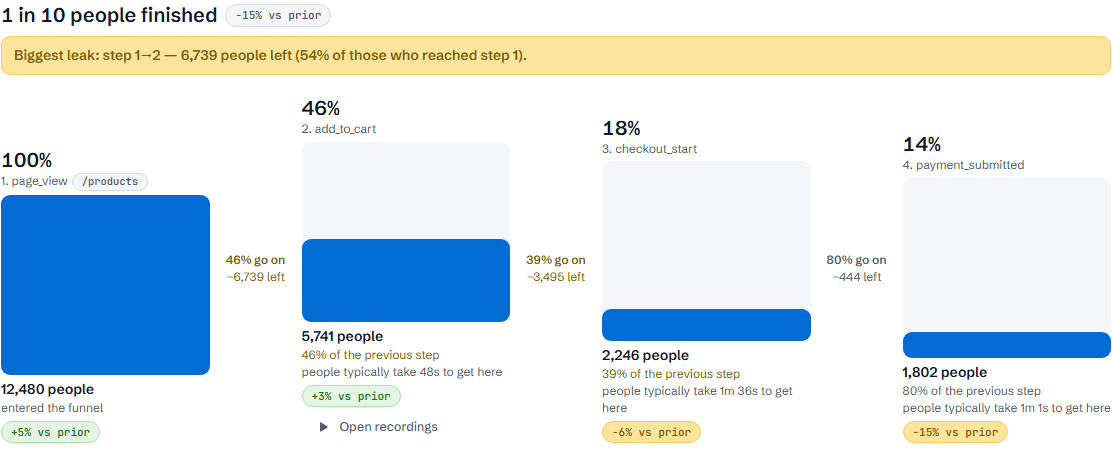
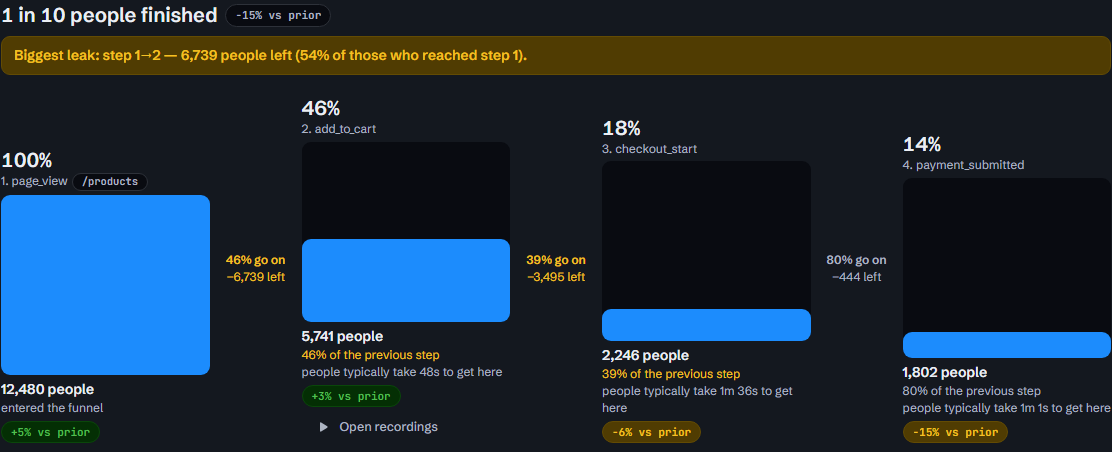
Stage-by-stage drop-off. Drill into any stage, filter by source or device.
Replays
See exactly where one person got stuck. Kept for a limited time, capped in size.
Heatmaps
The screenshot is frozen at recording time, so a redesign can’t corrupt an old heatmap.
Errors
Errors grouped into issues, each linked back to the real visits that hit it.
Performance
Core Web Vitals from real visitors, not lab tests.
Paths
How people actually move through the site, not how the menu suggests.
Attribution
Which channel and campaign brought the people who converted.
Live
The event stream as it happens — the quickest way to check the snippet is working.
Search Console
Read-only, through a connection partner: we can look at it, never change it.
What else ships, and where each one stops
Ask
A question in plain words over your own numbers: visits, funnels, errors, slow pages, clicks that did nothing, and search data already pulled. Today it reads, keeps a decision or preference you tell it, and can do a few small jobs you ask for, such as setting up a funnel, adding a task or drafting a swap. It cannot disconnect anything or change who has access.
Swaps
Change a headline or other copy for the people you choose, such as those arriving from one source, without a deploy. It needs its own line of code, which the Swaps page gives you. It refuses to swap a price, a stock level, legal text or a claim about your business. Rules only: there is no split test yet, and we do not report what a swap did to your numbers.
Destinations
Send findings to Telegram or to an email address. The same finding at the same severity is sent once, and no more than 10 reach one destination in a day; the rest stay in the room and in the next digest. Sending findings to your own address as JSON is part of the paid plans, which are not open yet. Slack is not connected yet.
Install, for sites built with an AI tool
After sign-up a four-step setup opens: Your site, Add the tag, Check, Done. Every step can be skipped. Three ways to add the line: paste it yourself, paste a paragraph into Lovable, Bolt, v0 or whatever built the site, or let us open a draft pull request once GitHub is connected.
Shopify
Two pastes: the line in your theme, and a custom pixel under Settings → Customer events for purchases, because Shopify’s checkout does not run your theme’s code. If someone buys without having browsed the store in the same visit, we count the sale but cannot tie it to a visit.
GitHub
Connects through our connection partner, where you sign in with GitHub directly. GitHub shows you exactly what access you are giving before you agree. Convertlyft only ever opens draft pull requests, on the one repository you pick, and a person on your side merges them.
See what a funnel check says about your site
Free, no account, under 30 seconds — a score and the leaks worth fixing first.
Start free
Every report from one snippet, and the first digest the next day.
Start freeNo credit card
For developers: API and MCP access
Your numbers, readable by your tools
Every figure on the dashboard can be pulled through a scoped API token — created in Settings, with an expiry, revocable in one click. A token is shown once; we store its fingerprint, not the token. Every figure the API hands out carries a receipt ID you can re-open and verify later.
The same tokens open an MCP connection, so an agent — Claude, or the one built into your editor — reads your numbers directly instead of you exporting anything. A command-line tool authorizes with a short code you type once, the way you sign a TV into a streaming service.
The access reads; it never touches your site on its own. Changes still wait for your approval.
API tokens
| name | scopes | last used | |
|---|---|---|---|
| digest-bot | read:funnels | 2h ago | revoke |
| cli-local | read:all | 6d ago | revoke |
| old-script | read:errors | 4mo ago | revoke |
Mint a token per script or agent — never one shared key. The list shows when each was last used, so a dead one is easy to spot and kill. demo data