Funnels, recordings and heatmaps, page by page
Where the funnel leaks
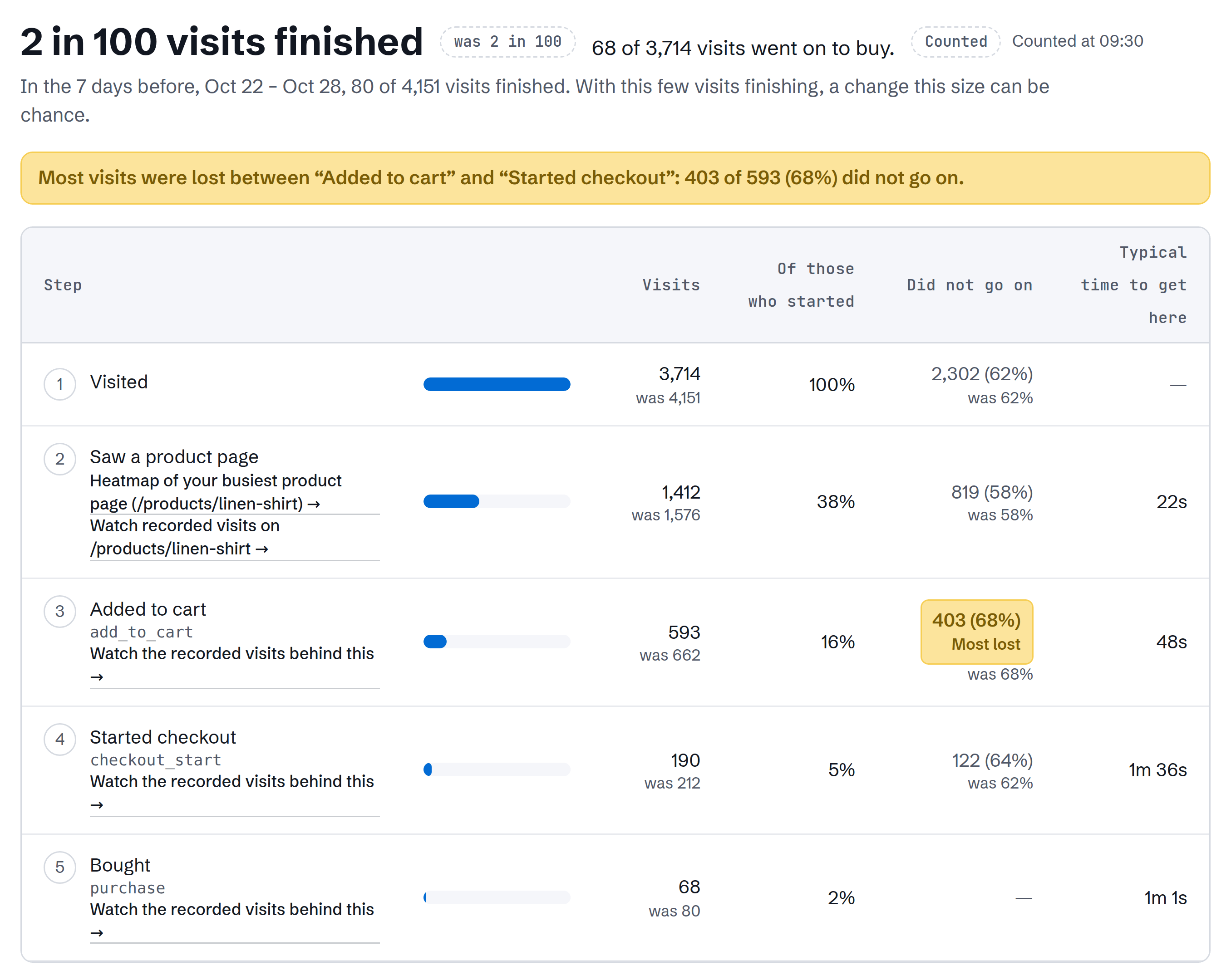
Funnels of up to 6 steps, as many as you need. The step that lost the most people is marked, and each step links to the recorded visits that reached it.
A website analytics tool with SEO in one. Every visit counted, no sampling. Each to-do says what leaked and the change to make, with the numbers behind it.
14 days of Pro, free 10,000 visits a month · No card needed
After that it stays on Free, up to 5,000 visits a month with every feature, unless you choose Pro.
Installing from the Shopify App Store? Your store starts on Free, and any paid plan is billed through Shopify.
Updated 8 Nov, 16:10 UTC
Most lost Most visits were lost between ‘Added to cart’ and ‘Started checkout’: 403 of 593 (68%) did not go on.
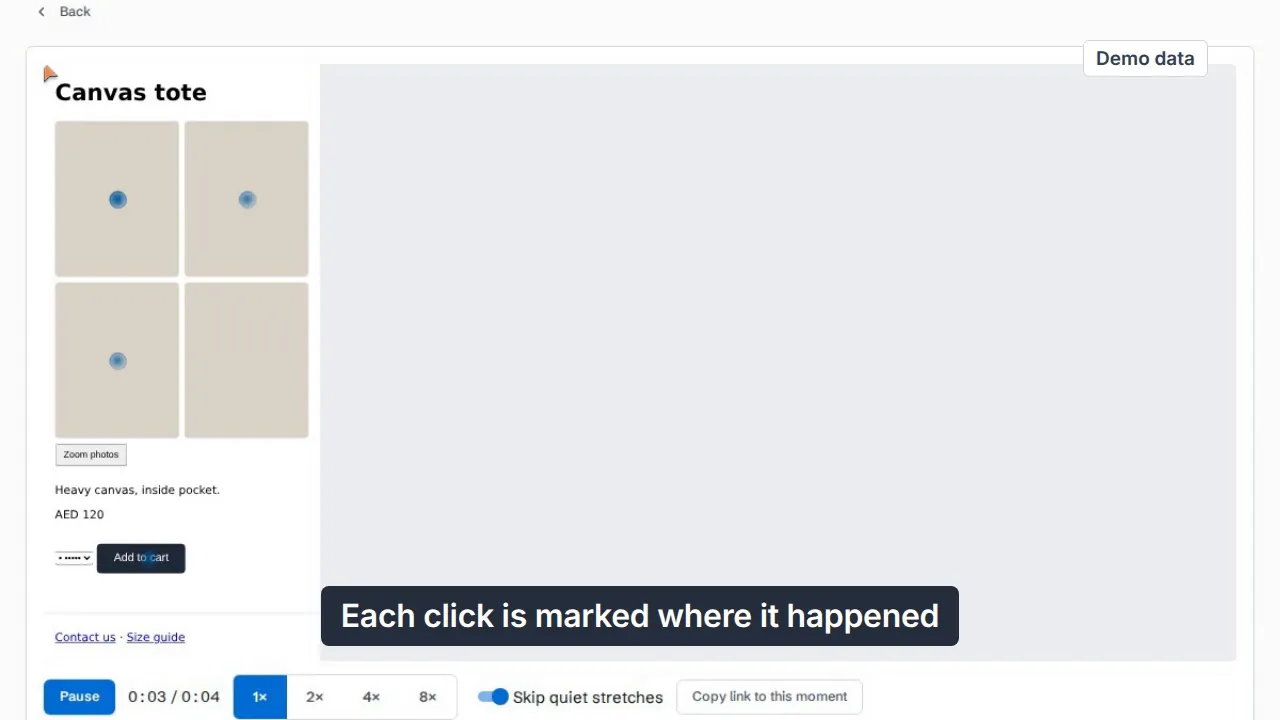
Watch the recorded visits behind thisEach to-do says what leaked and the change to make, with the numbers behind it. A quiet week says so instead of inventing one.
Your Google searches and rankings beside your visits and sales, and a site audit run by our own crawler.
Claude, ChatGPT, Cursor or another AI app reads your numbers through one address. It can read; it can’t change your site.
Phone visitors leave checkout twice as often as computer visitors.
Press I fixed it, and the next check marks it Confirmed fixed, or Came back.
Open the demoFunnels of up to 6 steps, as many as you need. The step that lost the most people is marked, and each step links to the recorded visits that reached it.
Every visit is recorded on every plan (up to a safety limit of 50,000 new recordings per site per day). Recording pauses once you pass twice your plan’s visits and starts again on the 1st. Turn it down in Settings (Record every visit) to keep only the visits that matter: an error, a rage or dead click, a form left, or a key page such as checkout or contact. Typed values are always hidden.
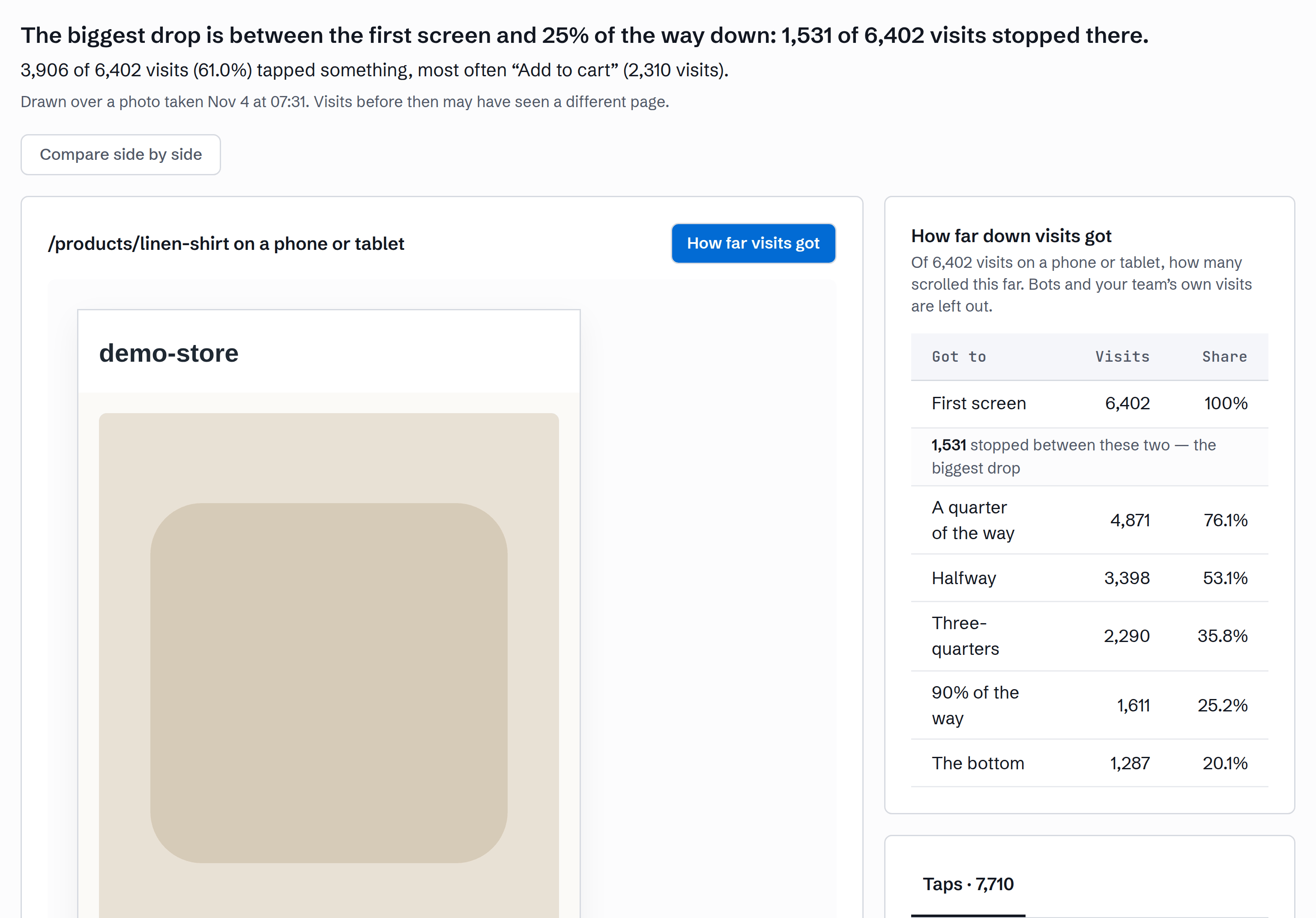
Switch the map between all clicks, rage clicks, dead clicks, clicks followed by an error, first clicks and scroll depth.
JavaScript errors grouped into issues, each with the visits that hit it, and Core Web Vitals per page from real visits, with the slowest pages listed.
Every Monday at 07:30 your time, a report on the week. If you want more, turn on the daily email: it comes on mornings when something changed on your site.
Invite the people you work with and choose what each one can change. Add as many sites and people as you like.
Paste it yourself, or paste a paragraph into Lovable, Bolt, v0 or whatever built the site. We spot Shopify, WordPress, Wix, Squarespace, Webflow, Framer, Next.js or a tag manager and show the steps. On Shopify, install the Convertlyft app from the Shopify App Store instead, and on WordPress the Convertlyft plugin from WordPress.org.
Your reports count 100% of visits, clicks, errors and load times, with your own visits left out. The Monday report says what changed that week.
Make the change yourself, or hand it to your developer or AI tool. Convertlyft never changes your site’s code. Then press I fixed it, and the next check tells you if it held: Confirmed fixed, or Came back.
See it page by page Weighing an alternative to hiring a consultant for more sales and enquiries? What share of visits buy? Benchmarks, with sources
Convertlyft is an MCP server. Paste the address into Claude, ChatGPT, Cursor or another client, or run npx convertlyft init to set up Claude Code, Cursor, VS Code, Windsurf or another coding tool, then sign in in your browser and press Allow. Every connected app is listed under AI apps, where you can cut it off.
https://mcp.convertlyft.com/mcpnpx convertlyft init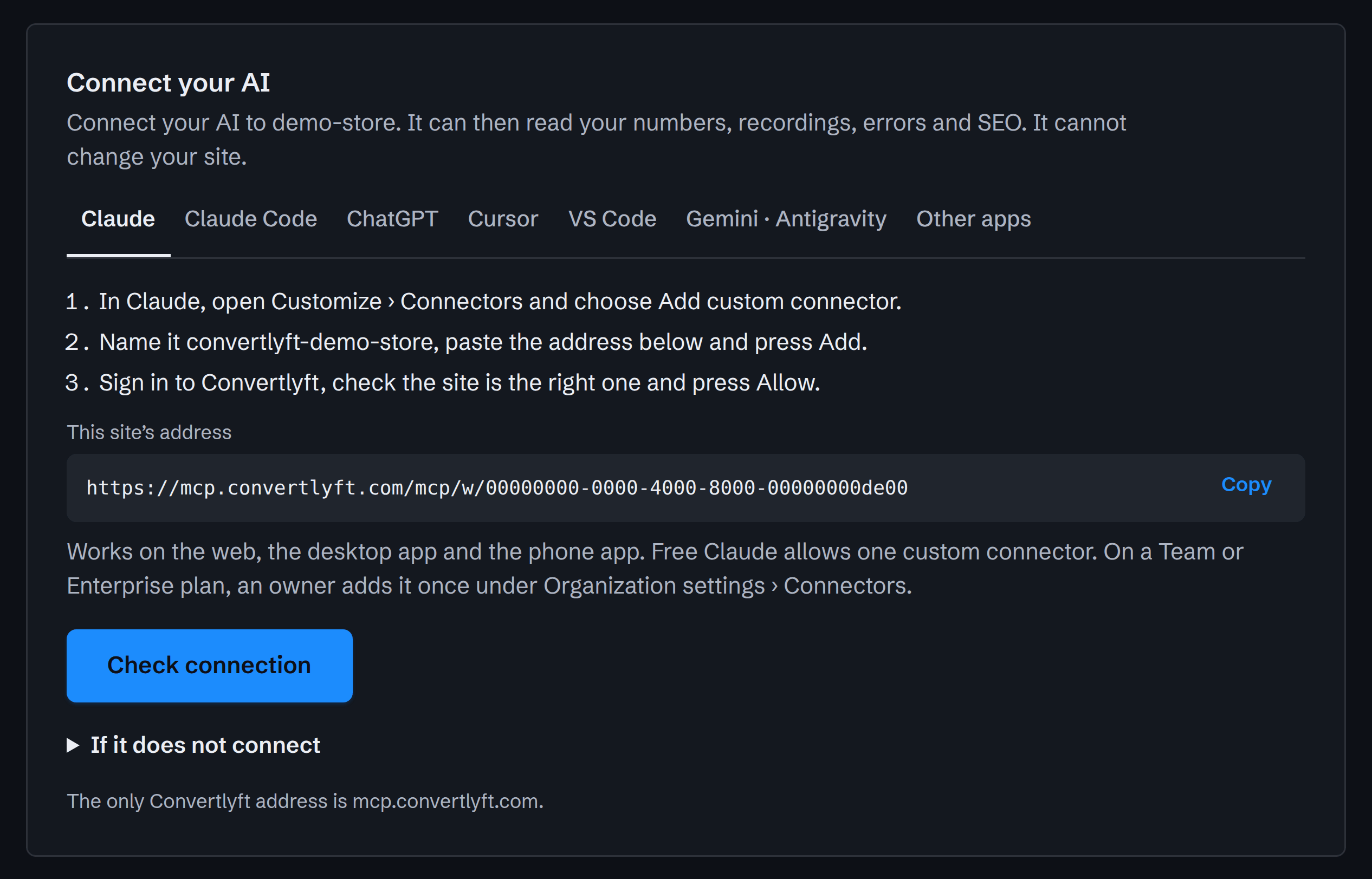
The free SEO auditAll free toolsCheck how AI agents see your siteCheck your WebMCP tools
No. Convertlyft does not connect to your code. It reads your pages and the visits the tracking line sends, and nothing changes on your site unless you, your developer or your AI tool makes the change.
Your data stays yours: every table is row-locked in the database itself, and membership is checked in the database, not just the app. Visits from devices you’ve marked as yours are left out. Replays are size-capped and retention-limited.
Visitors stay anonymous unless your site tells Convertlyft who they are, for example when someone signs in. We ship a DPA and a subprocessors list at /dpa and /subprocessors, and per-person unsubscribe is one click. Replays are kept 90 days and what visitors did 24 months, on every plan.
The product says so and says why, instead of guessing. Every figure the API hands out carries an ID you can re-open and verify later.
Your new account gets 10,000 visits a month, no card needed. After 14 days it moves to Free, up to 5,000 visits a month with every feature, unless you choose Pro.